Posts

Showing posts with the label gogo shell

Liferay Gogo Shell Commands

  Liferay Gogo Shell Commands Overview Gogo Shell is a command-line tool for executing Felix Gogo Shell commands and Liferay commands. This article describes the main Gogo Shell commands. List Bundles Command : lb <filter> Description: list installed bundles matching a substring Sample: g! lb apps START LEVEL 20    ID|State      |Level|Name  1427|Active     |   10|Liferay Apps Manager API (1.0.0)|1.0.0  1428|Active     |   10|Liferay Apps Manager Service (1.0.0)|1.0.0  1429|Active     |   10|Liferay Apps Web (1.0.0)|1.0.0 Bundle Diagnostics Command : diag <bundle-id> Description: Displays unsatisfied constraints for the specified bundle Sample: g! diag com.liferay.apps.web com.liferay.apps.web [1429]   No resolution report for the bundle. Bundle Details Command : b <bundle-id> Description: Displays bundle details Sample: g! b com.liferay.apps.web com.liferay.apps.we...
Liferay Blacklist Configuration

Image
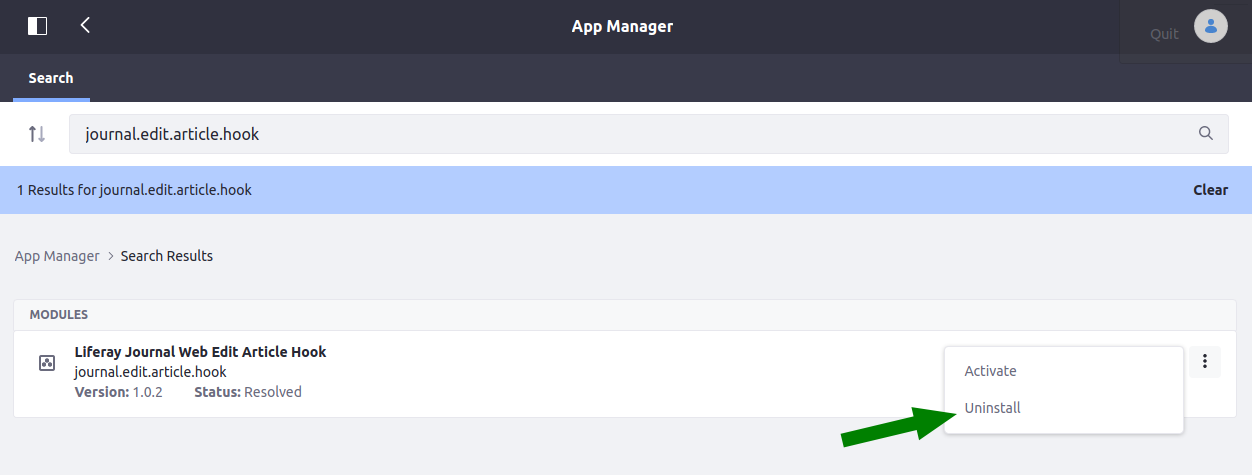
 How to Remove a Bundle from the Blacklist in Liferay 7 Overview This article will explain how to remove a bundle from the Liferay’s Blacklist with the settings in the Control Panel. Preface Liferay may add your bundle into a “black list” if you, for example, uninstall your bundle in the Apps Manager: In this case any subsequent deploys will not actually deploy your bundle, and you’ll see something like this in logs: 2021-03-23 07:49:58.854 INFO  [com.liferay.portal.kernel.deploy.auto.AutoDeployScanner][AutoDeployDir:261] Processing journal.edit.article.hook-1.0.2.jar 2021-03-23 07:51:09.765 INFO  [fileinstall-/opt/liferay/osgi/modules][BundleBlacklist:188] Stopping blacklisted bundle journal.edit.article.hook_1.0.2  To make your bundle available again - you need to remove it from the blacklist. Configuration To remove the bundle from the blacklist, you need: Go to Control Panel -> Configuration -> System Settings; Click on “Module Container” in “Platform” sect...