Liferay Log Levels Configuration
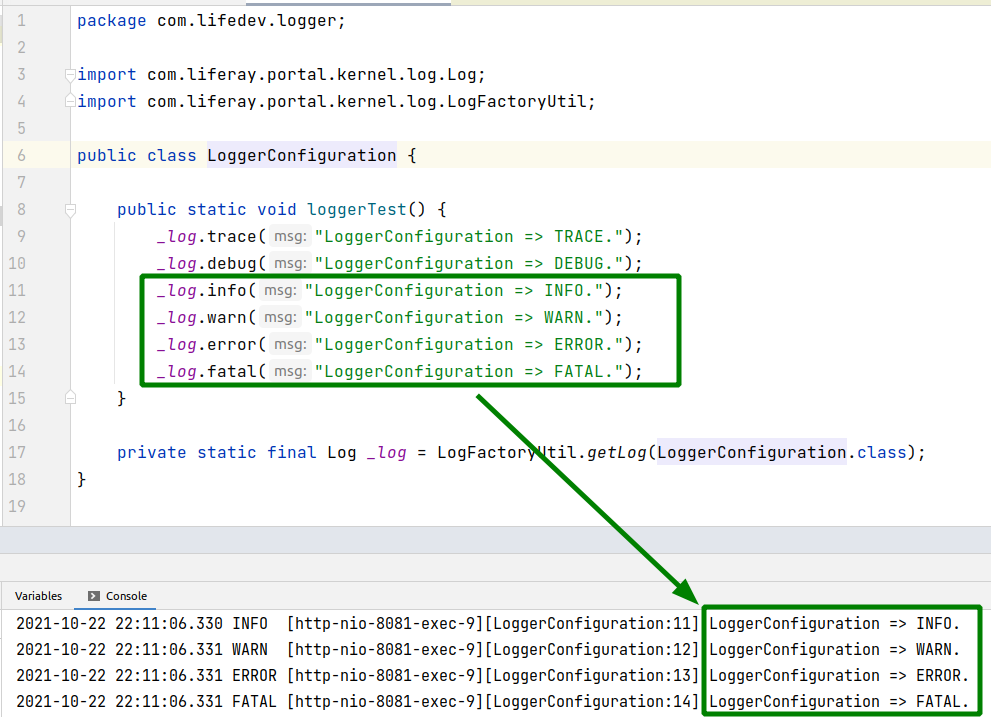
Liferay Log Levels Configuration Overview This article explains how to use log4j logger in Liferay and configure the log levels for both Liferay and custom modules. Using Logger Logging in Liferay can be used in the following way: import com.liferay.portal.kernel.log.Log ; import com.liferay.portal.kernel.log.LogFactoryUtil ; public class LoggerConfiguration { public static void loggerTest () { _log .info( "LoggerConfiguration => INFO." ); } private static final Log _log = LogFactoryUtil . getLog ( LoggerConfiguration . class ); } The logger object can be created with the com.liferay.portal.kernel.log.LogFactoryUtil class. Then it can be used to log messages of different levels (TRACE|DEBUG|INFO|WARN|ERROR|FATAL). Default Log Level Default log level is INFO : Log Levels Configuration Log level can be configured in Control Panel -> Server Administration -> Log Levels: ...