Mail Server Configuration in Liferay
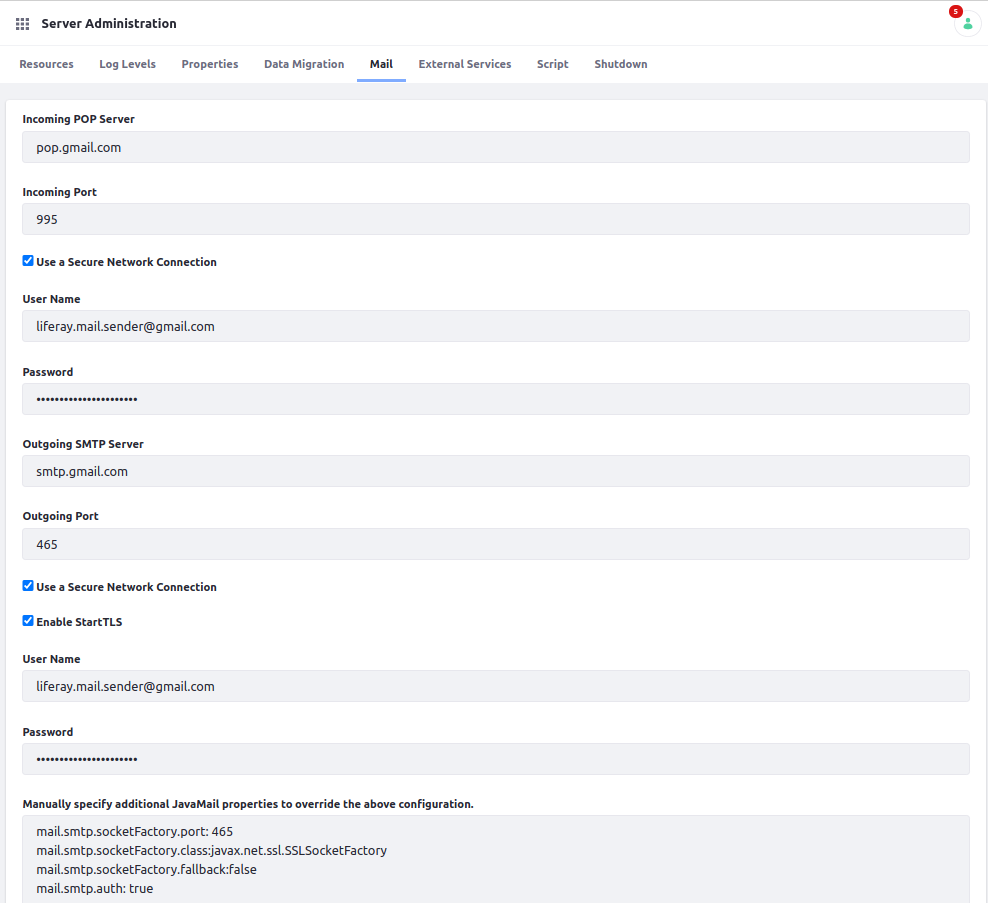
Liferay Mail Server Configuration Overview This article explains how to configure a mail server in Liferay 7.x for sending and receiving emails using a Gmail account. Configuration Go to the Control Panel -> System -> Server Administration. Click on the “Mail” tab. Set the following options: Name Value Incoming POP Server pop.gmail.com Incoming Port 995 Use a Secure Network Connection true User Name <your-gmail-account> Password <your-gmail-password> Outgoing SMTP Server smtp.gmail.com Outgoing Port 465 Use a Secure Network Connection true Enable StartTLS true User Name <your-gmail-account> Password <your-gmail-password> Manually specify additional JavaMail properties to override the above configuration. mail.smtp.socketFactory.port: 465 mail.smtp.socketFactory.class:javax.net.ssl.SSLSocketFactory mail.smtp.socketFactory.fallback:false mail.smtp.auth: true Sample: Save the configuration, and that’s it - now you should be able to send and receive emails fro...